
Free website audit: a full SEO site analysis
Enter your URL and get a complete site audit in minutes — 295 checks across technical SEO, on-page, content, backlinks, AI visibility, accessibility and security, each with the affected pages and how to fix it.
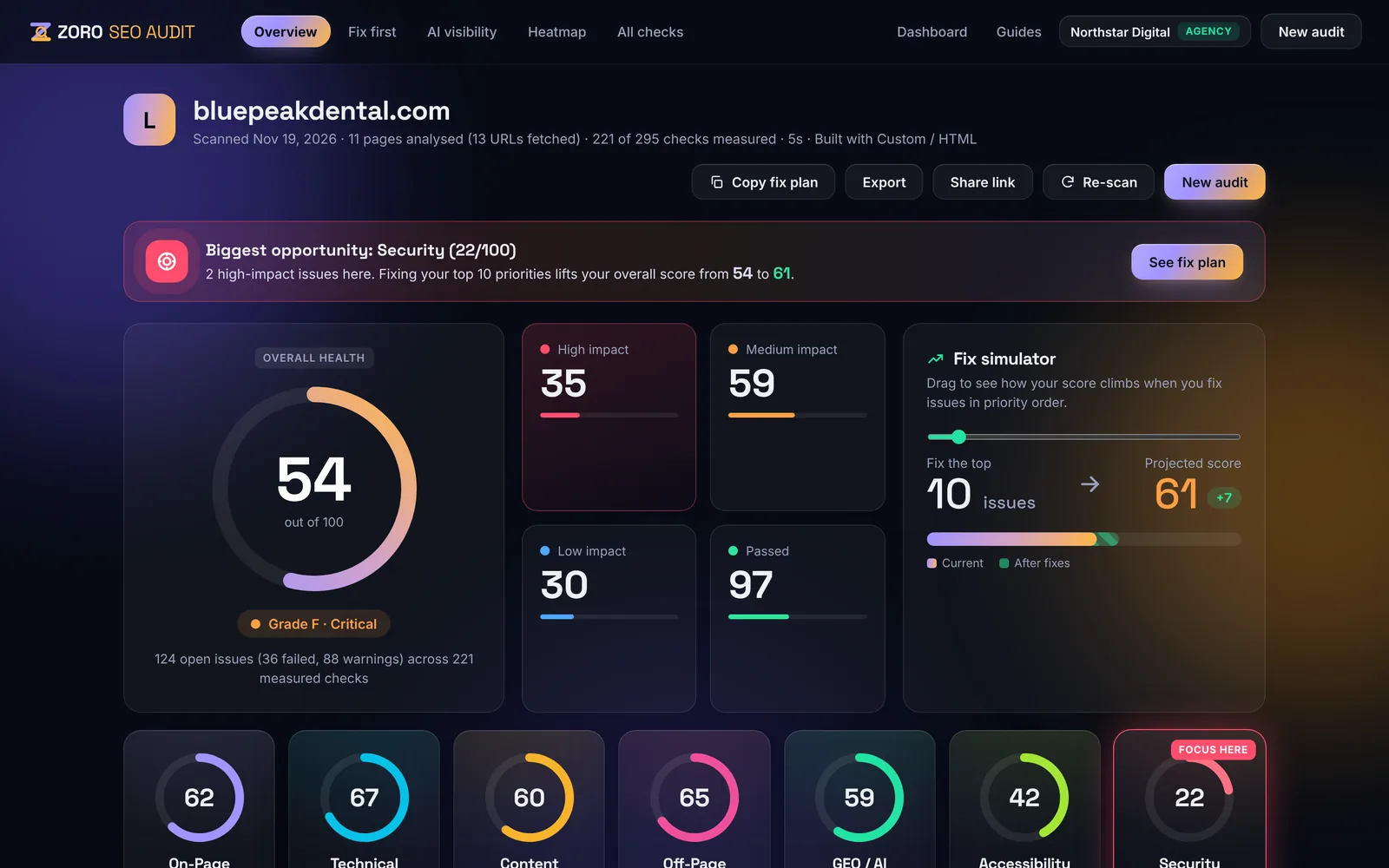
Every page, every signal — one report
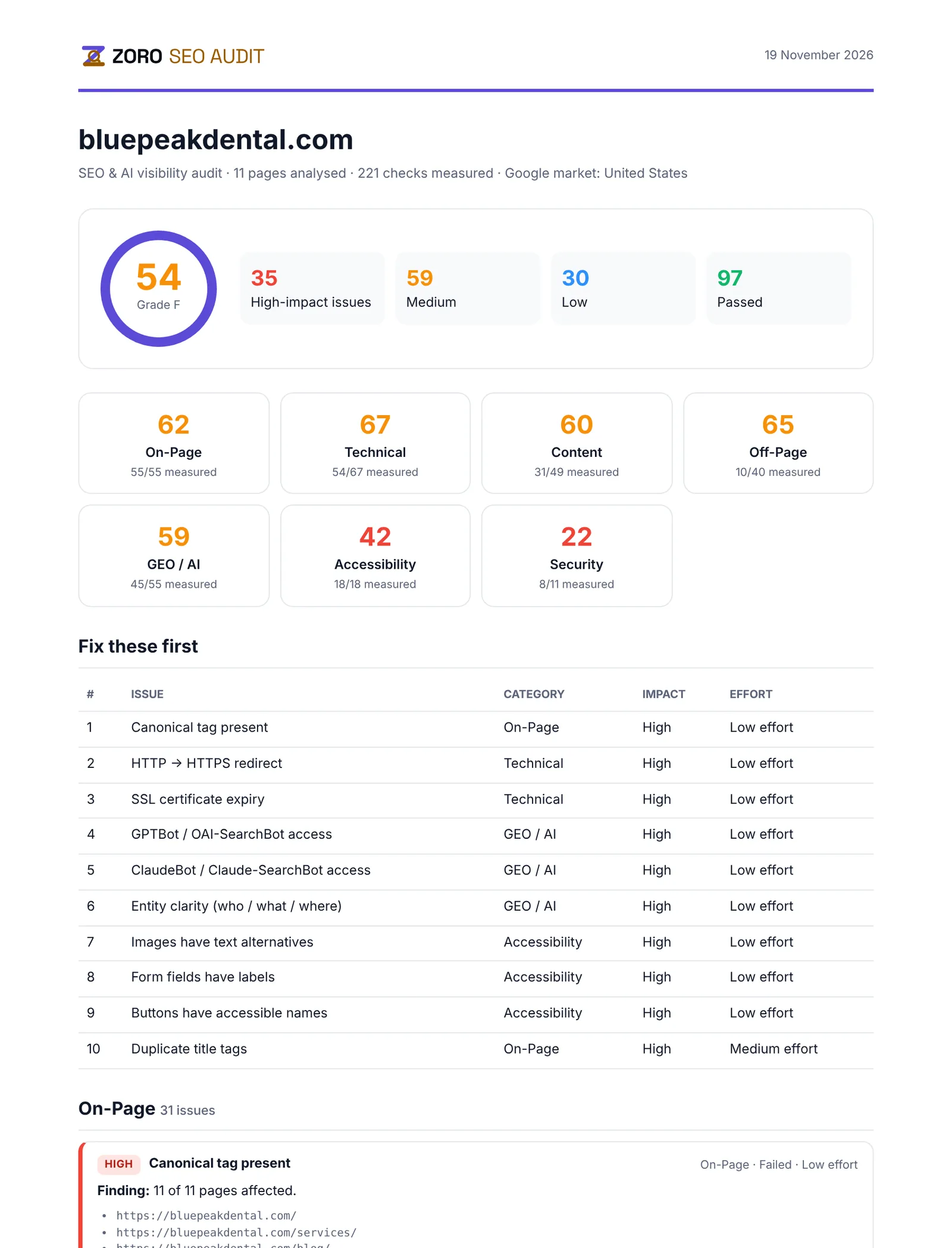
The site audit crawls your pages like Googlebot, renders key pages in a real mobile browser and checks indexing, speed, structured data, links and content quality. Every check is scored by impact, so you see the website health that really matters.
- Crawl like Google — status codes, redirects, robots.txt, sitemaps, canonicals
- Real-browser rendering — Core Web Vitals, JavaScript errors, mobile layout
- Impact-weighted score — only measured checks count
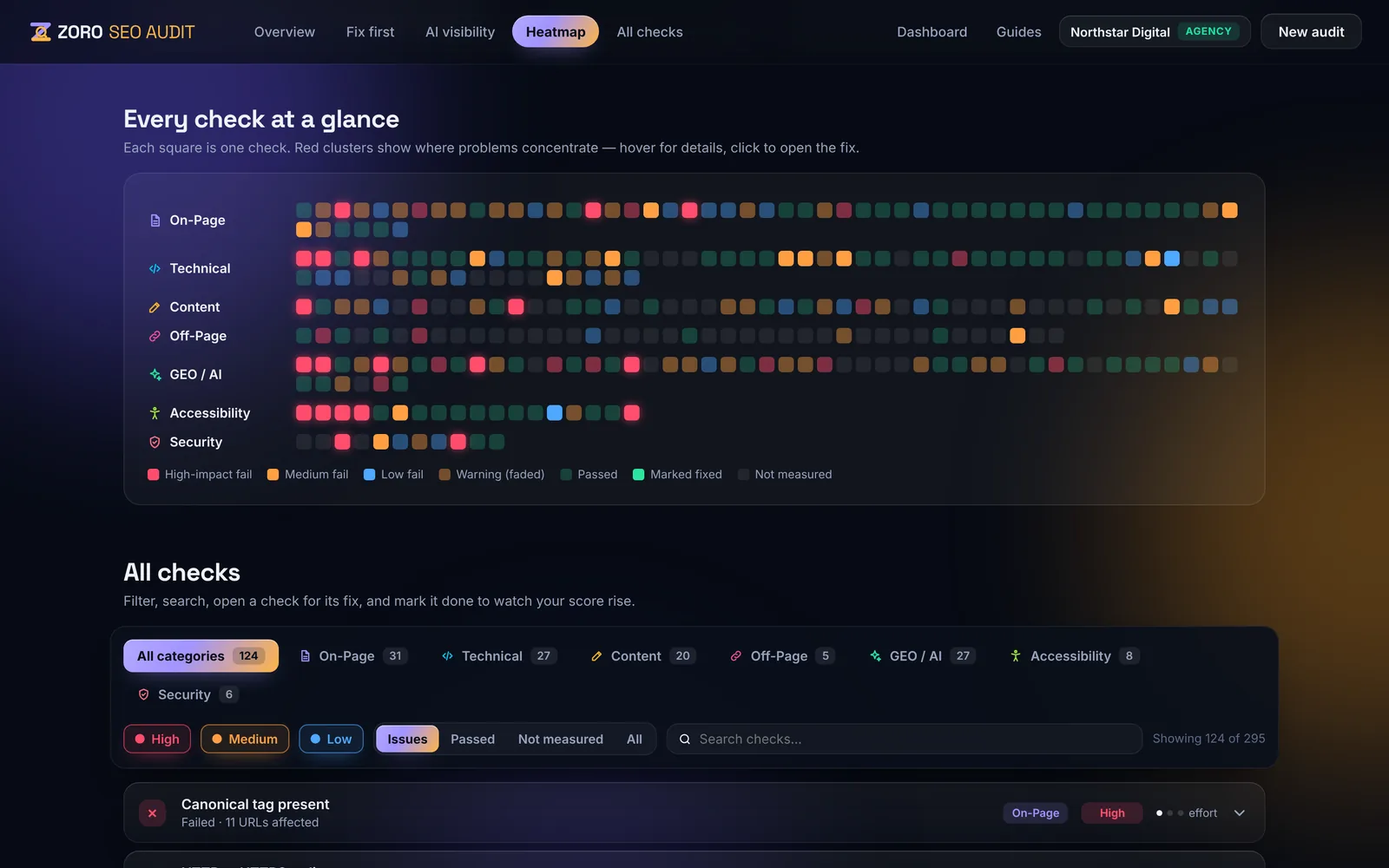
Plain-language analysis with a clear plan
Instead of a long list of warnings, the website analysis ranks what to fix first by impact and effort, explains why each issue matters and lists the exact URLs affected.
- Fix-first priorities — impact × effort
- Affected URLs — for every issue
- Step-by-step guides — for every check
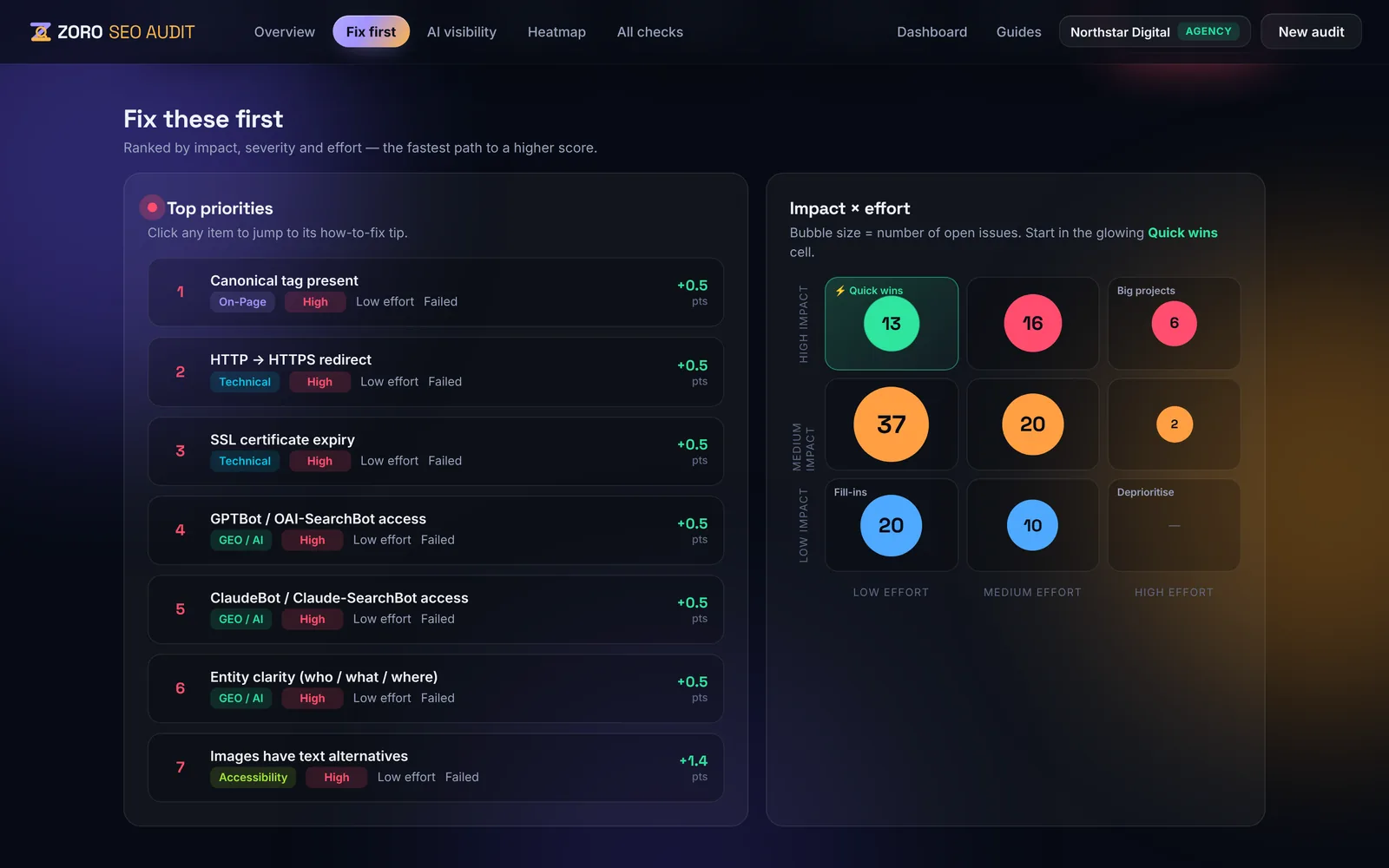
Copy the fix, then re-check in seconds
Each issue comes with fix code for your platform — WordPress, Shopify, Next.js, Webflow, Nginx and more. When it is fixed, click Re-check to test just that issue again, free, without running a full website audit.
- Platform-specific fix code — copy and paste
- Free re-checks — verify each fix instantly
- Score updates — see progress straight away
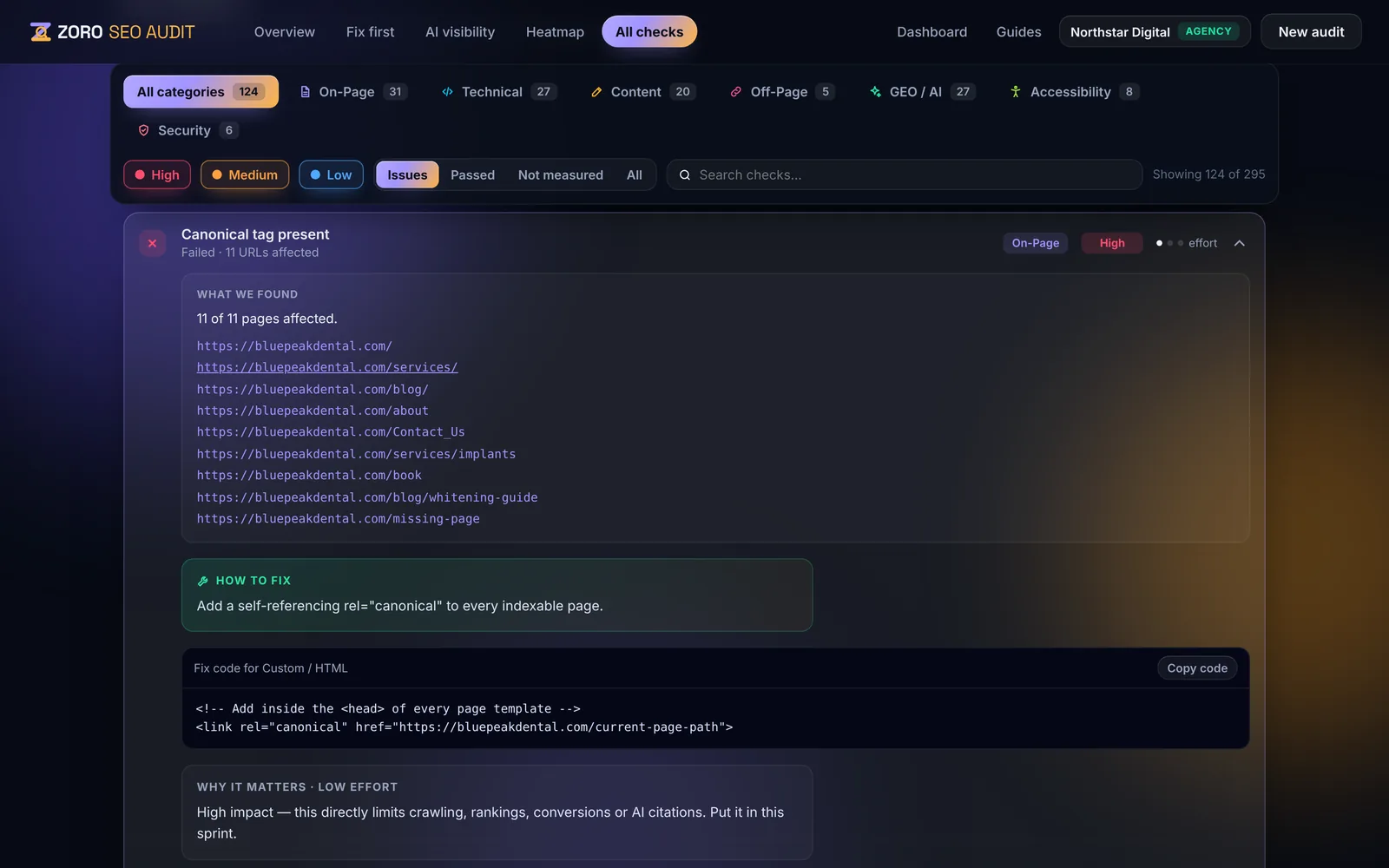
Reports for your team or your clients
Export the site audit as a PDF, Excel, Word or HTML report, or share a live link. Agencies can add their own logo and colours for white-label website audit reports.
- PDF, Excel, Word, HTML — one click
- Share links — with optional password
- White label — on the Agency plan
Every check in this audit
Grouped by category. Each check has a plain-language explanation, a fix and a step-by-step guide.
On-Page · 55 checks
Titles, meta descriptions, headings, canonical tags, structured data, images and internal links — everything Google reads on each page.
See all 55Technical · 67 checks
Crawlability, indexing, robots.txt, sitemaps, redirects, status codes, HTTPS, Core Web Vitals, mobile rendering and JavaScript.
See all 67Content · 49 checks
Thin and duplicate content, readability, freshness, E-E-A-T signals, keyword targeting and search-intent coverage.
See all 49Off-Page · 40 checks
Backlinks, referring domains, competitor link gaps, brand mentions, review platforms and local listings.
See all 40GEO / AI · 55 checks
Whether ChatGPT, Perplexity, Gemini and Claude mention you, AI crawler access, llms.txt, entity data, citations and AI Overviews.
See all 55Accessibility · 18 checks
Real-browser accessibility testing with axe-core: contrast, alt text, labels, landmarks, keyboard and zoom.
See all 18Security · 11 checks
TLS grade, security headers, cookie flags, mixed content, vulnerable JavaScript libraries and clickjacking protection.
See all 11What a full website audit checks — and how to use it
A website audit is a health check of your whole site: can search engines and AI assistants find, read and trust your pages, and can every visitor use them? Here is what a complete site audit covers, how to read the results and what to fix first.
What is a website audit?
A website audit (also called a site audit or website SEO analysis) crawls your pages and tests them against the signals Google, Bing and AI assistants use to rank and cite websites. It finds technical problems that block crawling and indexing, on-page issues that weaken rankings, content that is thin or duplicated, and gaps in authority, accessibility and security.
ZORO runs 295 checks in one audit and scores each by impact, so a full website audit gives you a single health score, a score per category and a prioritised list of fixes rather than a wall of warnings.
What a full website SEO audit includes
- Technical SEO — status codes, redirects and redirect chains, robots.txt, XML sitemaps, canonical tags, indexing directives, HTTPS, Core Web Vitals and mobile rendering.
- On-page SEO — title tags, meta descriptions, headings, image alt text, internal links, structured data (schema) and social sharing tags.
- Content quality — thin and duplicate pages, readability, freshness, depth on service and product pages and topical coverage.
- Off-page and authority — backlinks, referring domains, brand mentions and local business listings.
- AI visibility (GEO) — whether ChatGPT, Perplexity, Gemini and Claude can crawl your site, mention your brand and cite your pages.
- Accessibility — WCAG 2.2 AA tests in a real browser: colour contrast, labels, keyboard access and more.
- Security — TLS, security headers, cookie flags and vulnerable JavaScript libraries.
How to run a site audit in three steps
- Enter your website address and choose the country and language you want to rank in.
- Optionally connect Google Search Console and GA4 for a deeper, more accurate audit with real index coverage and traffic data.
- Read the report: start with “Fix first”, open each issue for the affected URLs and fix code, then click Re-check to confirm each fix.
Website audit vs. SEO audit vs. website analysis
The terms overlap. An SEO audit usually means the checks that affect rankings — technical, on-page, content and backlinks. A website audit or site audit is broader and adds accessibility, security and performance. A website SEO analysis is the interpretation: which problems matter most and what to do about them. ZORO’s full website audit covers all three in one report, plus AI visibility for answer engines.
How often should you audit your website?
Run a full website audit before and after any redesign, migration or platform change, and on a schedule the rest of the time — weekly for most business sites, daily for large or frequently updated sites. Scheduled audits compare each run with the last and alert you when the score drops, so regressions are caught before rankings fall.
What to fix first after a website audit
Fix anything that stops pages being crawled or indexed first — noindex tags, robots.txt blocks, broken redirects and server errors — because nothing else matters if Google cannot see the page. Then work through high-impact, low-effort issues such as missing titles and descriptions, broken internal links and missing structured data. ZORO’s “Fix first” list orders every issue this way automatically.
Frequently asked questions
Is the website audit free?
Yes. The 14-day free trial needs no card and includes 3 full website audits of up to 25 pages with real scores and your top issues in full. Paid plans audit more pages and unlock every issue, AI visibility and monitoring.
How long does a site audit take?
Usually a few minutes. Time depends on how many pages are crawled and whether Google Search Console, PageSpeed and AI visibility data are included.
What is the difference between a website audit and an SEO audit?
An SEO audit focuses on rankings — technical, on-page, content and backlinks. A website audit is broader and also covers accessibility, security and performance. ZORO includes both, plus AI visibility.
Can I audit a competitor’s website?
Yes. You can audit any public website to compare its technical health, content and AI visibility with yours. Add competitors in a site’s settings to compare share of voice in AI answers.
Does the website audit check AI search visibility?
Yes. It checks whether AI crawlers such as GPTBot, ClaudeBot and PerplexityBot can access your site, whether you have llms.txt and structured data, and on paid plans whether AI assistants mention and cite your brand.
How many pages can a full website audit cover?
Up to 25 pages on the free trial, 150 on Starter, 500 on Pro and 1,000 pages per audit on the Agency plan.
See what’s holding your site back
Run a free audit in minutes: every SEO, AI-visibility, accessibility and security issue, ranked by impact, with the fix for your platform.